MidJourney is one of the most powerful AI image generation tools available, capable of creating stunning, artistic visuals from text descriptions. Whether you're a designer, marketer, or creative enthusiast, learning how to use MidJourney opens up a world of visual possibilities. This guide covers everything from Discord setup to advanced prompt engineering.
🔧 Tool Introduction: What is MidJourney?
MidJourney is an AI-powered image generation tool that transforms text prompts into high-quality visual art. Unlike traditional design software that requires technical skills, MidJourney lets anyone create professional-grade images by simply describing what they want to see. It's particularly known for its artistic, painterly aesthetic and its ability to produce stunning visuals across a wide range of styles.
MidJourney operates primarily through Discord, where users interact with the MidJourney bot to generate images. The tool uses advanced diffusion models to interpret text prompts and create corresponding visuals. It supports various aspect ratios, style parameters, and customization options that give users fine-grained control over the output.
What makes MidJourney stand out is its artistic quality. While other AI image generators focus on photorealism, MidJourney excels at creating images with a distinctive artistic flair — from oil paintings and watercolors to digital art and concept designs. The latest MidJourney V6 model offers unprecedented detail, better text rendering, and improved prompt adherence.
MidJourney offers several subscription tiers: Basic ($10/month) for casual users with limited generations, Standard ($30/month) for regular use with faster processing, and Pro ($60/month) for professionals needing unlimited generations, stealth mode, and commercial rights. Each tier includes access to the MidJourney web gallery and community features.
📋 5-Step Practical Workflow
Follow this step-by-step workflow to create your first MidJourney masterpiece, from Discord setup to final image download.
Set Up Discord and Join MidJourney
First, create a free Discord account at discord.com if you don't have one. Then visit midjourney.com and click "Join the Beta" to connect your Discord account. Subscribe to a plan that suits your needs. Once subscribed, you'll be added to the MidJourney Discord server. Navigate to any #newbies channel to start generating — these channels are designed for beginners to practice without disturbing others.
Write Your First Prompt with /imagine
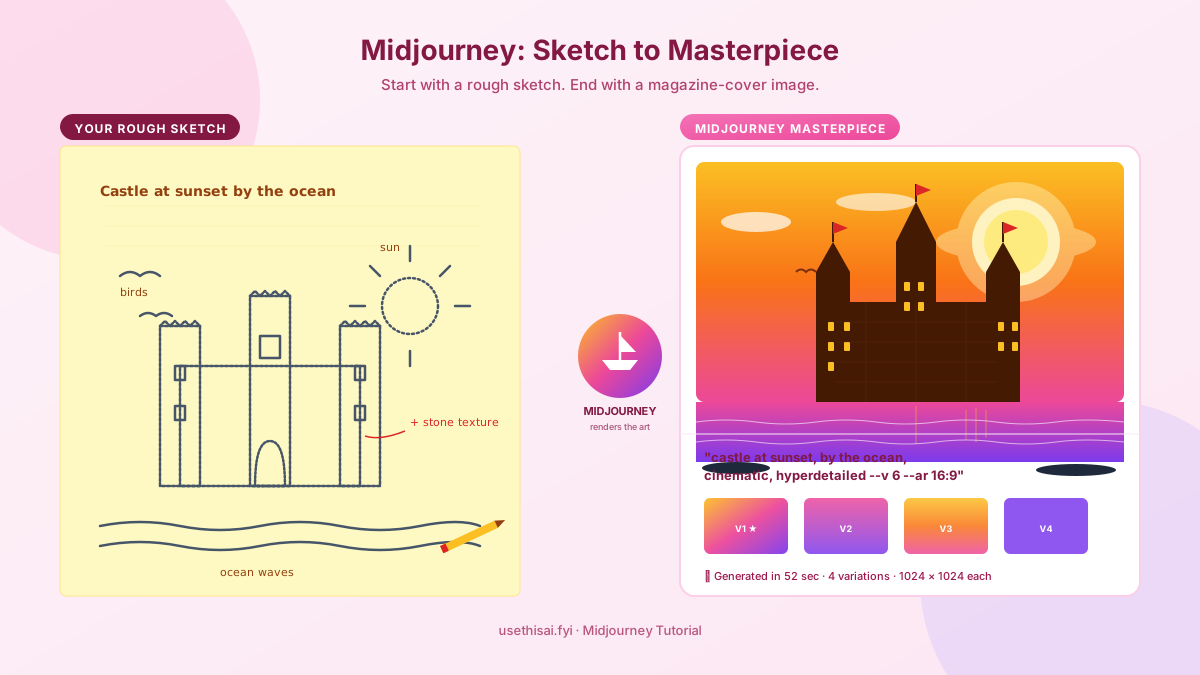
In any #newbies channel, type /imagine and press Enter. This triggers the MidJourney bot. In the "prompt" field, type a description of the image you want to create. Start simple: /imagine a serene mountain lake at sunset, photorealistic. Press Enter to submit. The bot will process your prompt and return a grid of 4 image variations within about 60 seconds. This is your first taste of MidJourney's capabilities.
Upscale or Create Variations
After the initial grid appears, you'll see a row of buttons below it: U1-U4 (upscale) and V1-V4 (variation). U buttons upscale a specific image to higher resolution with more detail. V buttons create 4 new variations based on the selected image's style and composition. Click U1 to upscale the top-left image, or V3 to create variations of the bottom-left image. This is where the real fun begins — each choice leads to different creative directions.
Refine with Parameters and Advanced Settings
Once you're comfortable with basic prompts, start adding parameters to control the output. Key parameters include: --ar 16:9 for aspect ratio (widescreen), --v 6 for the latest model version, --s 250 for stylization (0-1000, higher = more artistic), and --c 20 for chaos (0-100, higher = more surprising results). Example: /imagine a futuristic city skyline at night, neon lights, cyberpunk style --ar 16:9 --v 6 --s 500. These parameters give you precise control over the final output.
Download and Use Your Images
When you're happy with an upscaled image, click on it to open the full-size version in Discord. Right-click and select "Save Image" to download it. All your generated images are also saved in your MidJourney web gallery at midjourney.com/app, where you can browse, organize, and download them. For commercial use, ensure you're on a paid plan that includes commercial rights. You can also use the "Copy" button to get the image URL for sharing or embedding.
--ar 9:16 for mobile wallpapers, --ar 1:1 for social media posts, and --ar 16:9 for desktop wallpapers or YouTube thumbnails. The aspect ratio parameter is one of the most powerful tools in MidJourney.💡 3 Practical Tips
Tip 1: Master Prompt Structure with Subject + Style + Mood
The most effective MidJourney prompts follow a three-part structure: subject, style, and mood. Start with the subject (what you want to see), add the style (photorealistic, oil painting, anime, etc.), and finish with the mood or atmosphere. For example: "A lone wolf standing on a rocky cliff [subject], digital art with intricate details [style], dramatic storm clouds and golden light [mood]." This structure consistently produces better results than random descriptions. Experiment with style keywords like "cinematic lighting," "macro photography," "watercolor," "steampunk," or "minimalist."
Tip 2: Use Image References for Consistent Style
MidJourney supports image prompts that let you use existing images as style references. Upload an image to Discord, copy its URL, and add it to your prompt: /imagine [image URL] a portrait of a woman in Renaissance style. MidJourney will use the reference image's composition, color palette, or style as a starting point. You can also use the --iw (image weight) parameter to control how strongly the reference image influences the result (0.5 to 2.0). This is incredibly useful for maintaining visual consistency across a series of images.
Tip 3: Leverage Remix Mode for Iterative Refinement
Enable Remix Mode in MidJourney's settings (/settings → toggle Remix Mode on). This allows you to change your prompt when creating variations, instead of just generating variations of the same prompt. For example, after generating a "mountain landscape," you can remix it by changing the prompt to "mountain landscape with a cabin and autumn colors" — MidJourney will keep the composition but apply the new elements. This is the most powerful technique for iteratively refining images toward your exact vision.
❓ FAQ
Do I need Discord to use MidJourney?
Yes, MidJourney primarily operates through Discord. You need a Discord account to access the MidJourney bot and generate images. The bot responds to commands in Discord channels and sends generated images back to you. There is also a web interface available at midjourney.com/app for subscribers to browse their gallery and manage their account.
How much does MidJourney cost?
MidJourney offers three paid plans: Basic ($10/month) includes 3.3 hours of fast GPU time per month, Standard ($30/month) includes 15 hours of fast GPU time plus unlimited relaxed generations, and Pro ($60/month) includes 30 hours of fast GPU time, unlimited relaxed generations, stealth mode, and full commercial rights. All plans require an annual commitment for the best rate, or you can pay monthly at slightly higher prices.
Can I use MidJourney images commercially?
Yes, MidJourney grants commercial usage rights to paid subscribers. Standard and Pro plan members can use generated images for commercial purposes including selling products, publishing books, and creating marketing materials. Free trial users have limited commercial rights. Always check the current terms of service for specific licensing details, as AI art copyright laws are still evolving.
What is the difference between MidJourney V5 and V6?
MidJourney V6 offers significantly improved prompt adherence, better text rendering in images, enhanced photorealism, and more coherent compositions. V6 also handles complex scenes with multiple subjects better than V5. However, V5 is still available for users who prefer its particular aesthetic. You can switch between versions using the --v 5 or --v 6 parameter.
How do I get better results from MidJourney?
The key to better results is specificity. Instead of "a beautiful landscape," try "a misty mountain landscape at sunrise with pine trees in the foreground, cinematic lighting, photorealistic, 8K." Use parameters like --s (stylize) for artistic interpretation, --c (chaos) for variety, and --ar for composition. Study the MidJourney community gallery for inspiration and prompt ideas.
🔗 You May Also Need (你可能还需要)
掌握了 MidJourney 的 AI 绘图技巧后,你可能还需要这些工具来完善你的创作工作流:
- 💬 How to Use GPT-4o — 用 GPT-4o 帮你优化 MidJourney prompt,写出更精准的描述
- 🎥 How to Use Sora — 将 MidJourney 生成的图片作为 Sora 视频的风格参考
- 🤖 How to Use Claude — 用 Claude 分析你的设计需求和生成创意概念